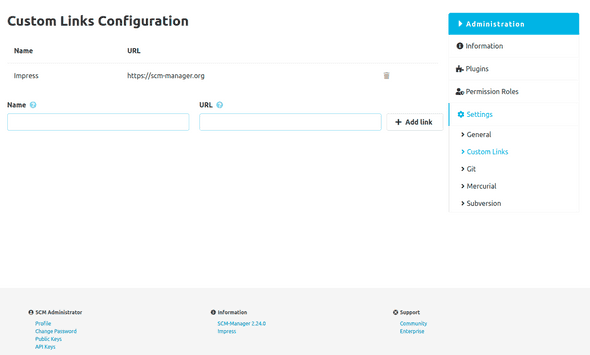
Custom Links Configuration
This plugin lets you add your own links to the SCM-Manager footer, so all users can see them.
You'll find the configuration page under the Administration section. There, you can easily create, update, or delete your links using a simple form.
As soon as you create a link, it shows up immediately in the "Information" section of the SCM-Manager footer.
Just remember, your link's URL needs to start with a protocol such as http:// or https://.
If you don't include one, it'll create a relative link from your SCM-Manager instance.